GetGenie
An AI writing assistant that helps WordPress users create content and improve SEO without leaving the editor.

GetGenie helps people write and optimize content with AI. I worked on making that experience feel natural inside WordPress, so writers could research keywords, draft articles, and improve SEO without constantly switching tools.
Writing Content Meant Juggling Too Many Tools
Writers had to jump between AI tools, keyword research, SEO checks, and the WordPress editor just to finish one article. I wanted to bring these steps together in one place without making the writing experience more complicated.
Finding Where the Workflow Broke Down
Too Much Switching
Writers were moving between several tools to research, write, and optimize an article. The opportunity was clear: bring the essentials into the WordPress editor.
Keeping WordPress in Sync
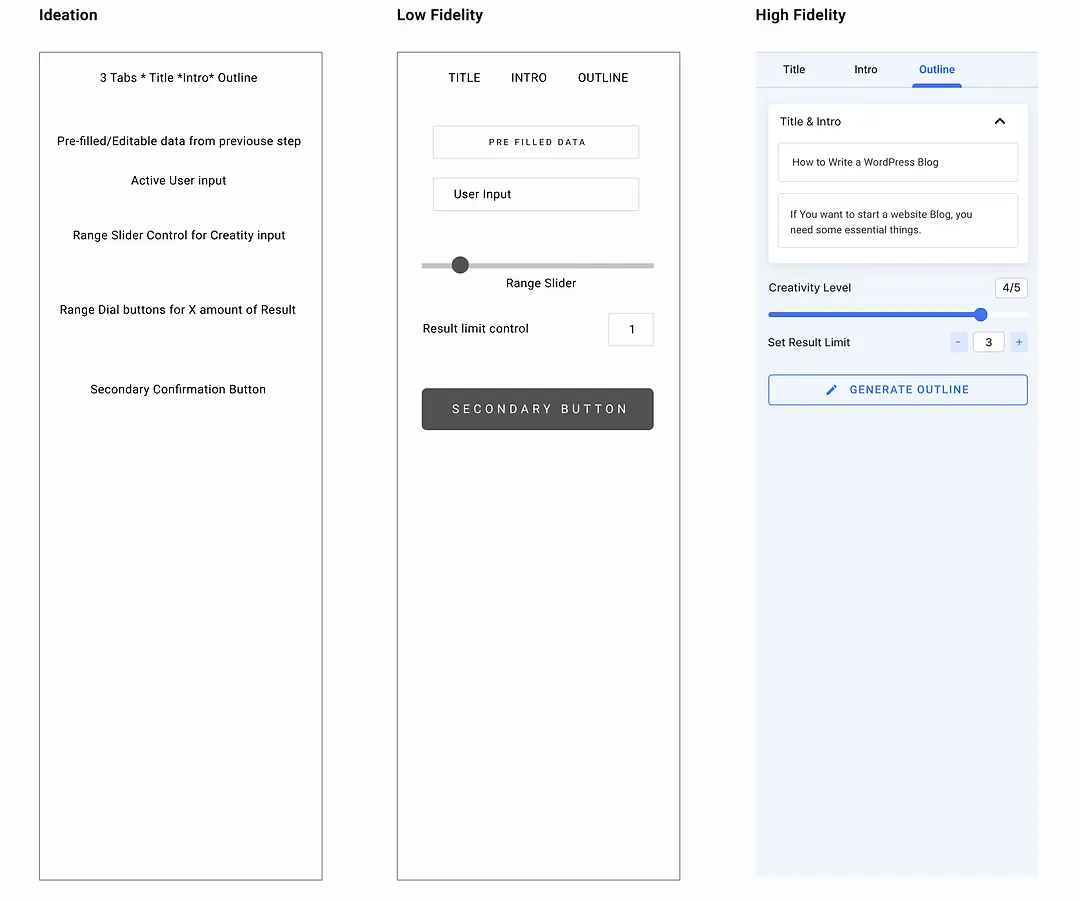
AI-generated content didn't always play nicely with WordPress blocks. State mismatches could break saved content, so the experience needed a safer way to handle edits and updates.

Making AI Failures Less Painful
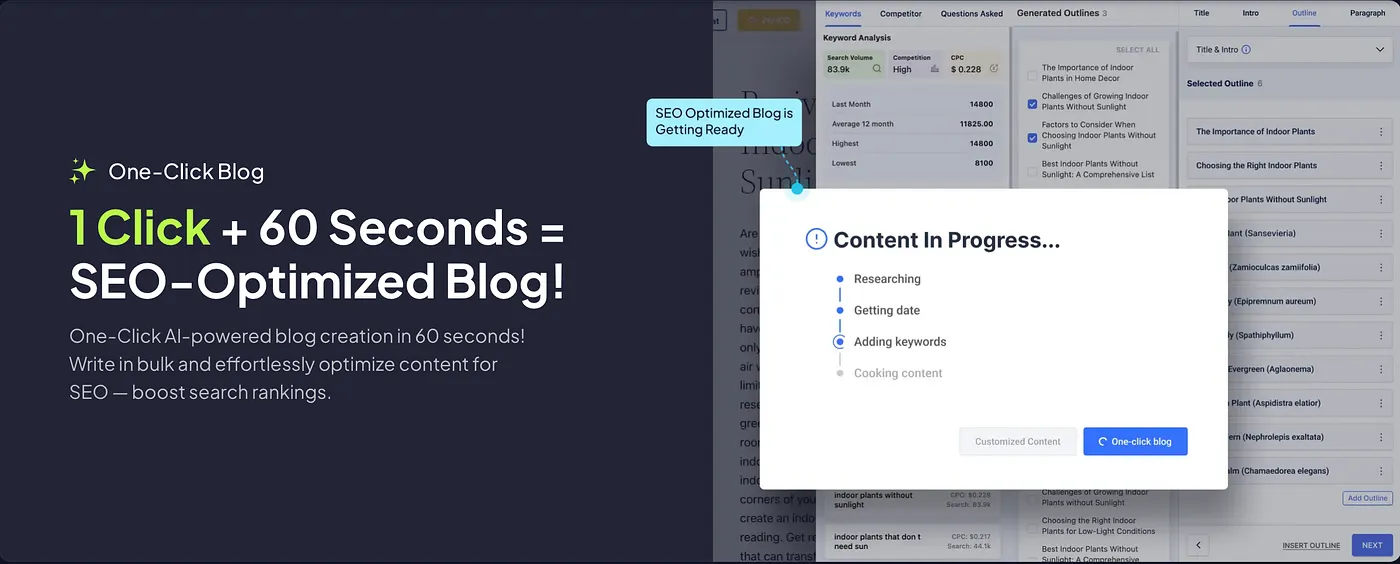
AI requests could take time or fail altogether. Writers needed clear feedback and a way to recover their work instead of losing progress or facing a broken editor.
A Writing Workspace Inside WordPress
I helped shape an experience that brought AI writing, keyword research, and SEO insights into one workflow. Features like the Blog Wizard and AI Image Magic let writers move from an idea to a more complete article without leaving the editor.
- Blog Wizard: Turn a keyword or topic into an article draft.
- AI Image Magic: Create visuals to complement written content.
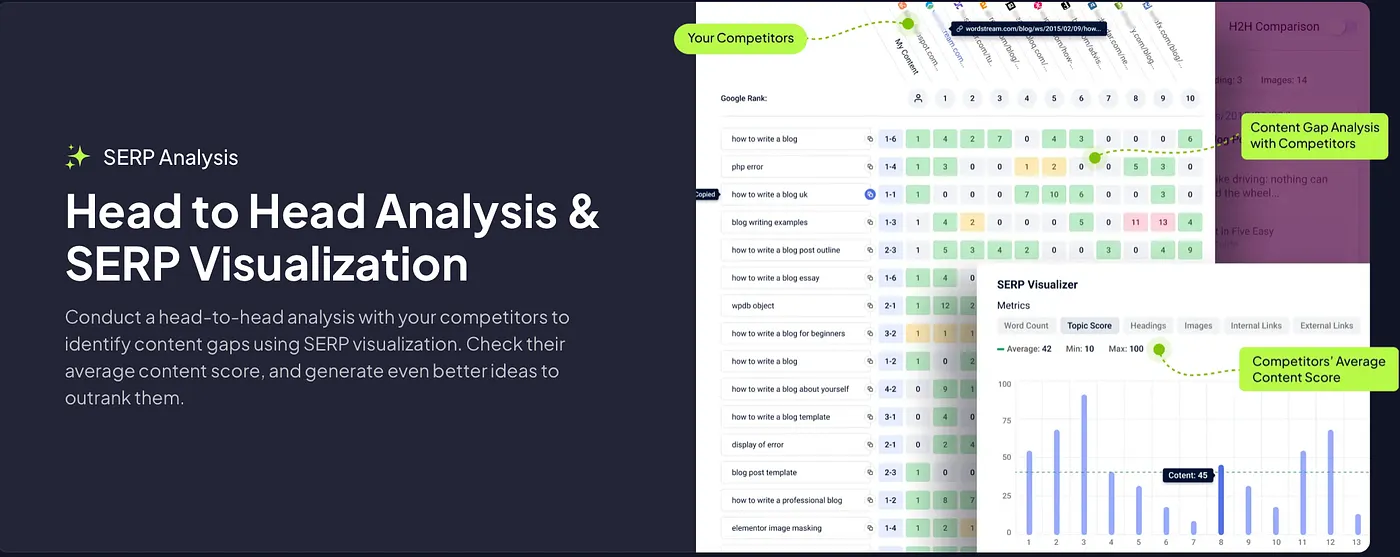
- SERP Analysis: Compare competing pages to spot SEO opportunities.
Keeping Content Safe
I worked on separating temporary AI settings from saved WordPress content. This helped prevent editing conflicts and made it safer to move generated text into the editor.
Making Complex Screens Easier to Use
SEO analysis could make the interface feel heavy. I optimized rendering and reduced unnecessary updates to keep the experience responsive, even when displaying more data.
Handling Failed Requests Gracefully
Instead of leaving writers stuck when an AI request failed, I improved error handling and recovery states so they could understand what went wrong and continue working.
Working Across Different WordPress Setups
WordPress sites vary in configuration and security restrictions. I worked on handling connection issues more gracefully so the plugin could behave more reliably across different environments.
Less Friction, Faster Writing
The goal was to help writers spend less time switching tools and more time creating. The project reported up to 10× faster content production, alongside performance improvements and fewer WordPress block issues.