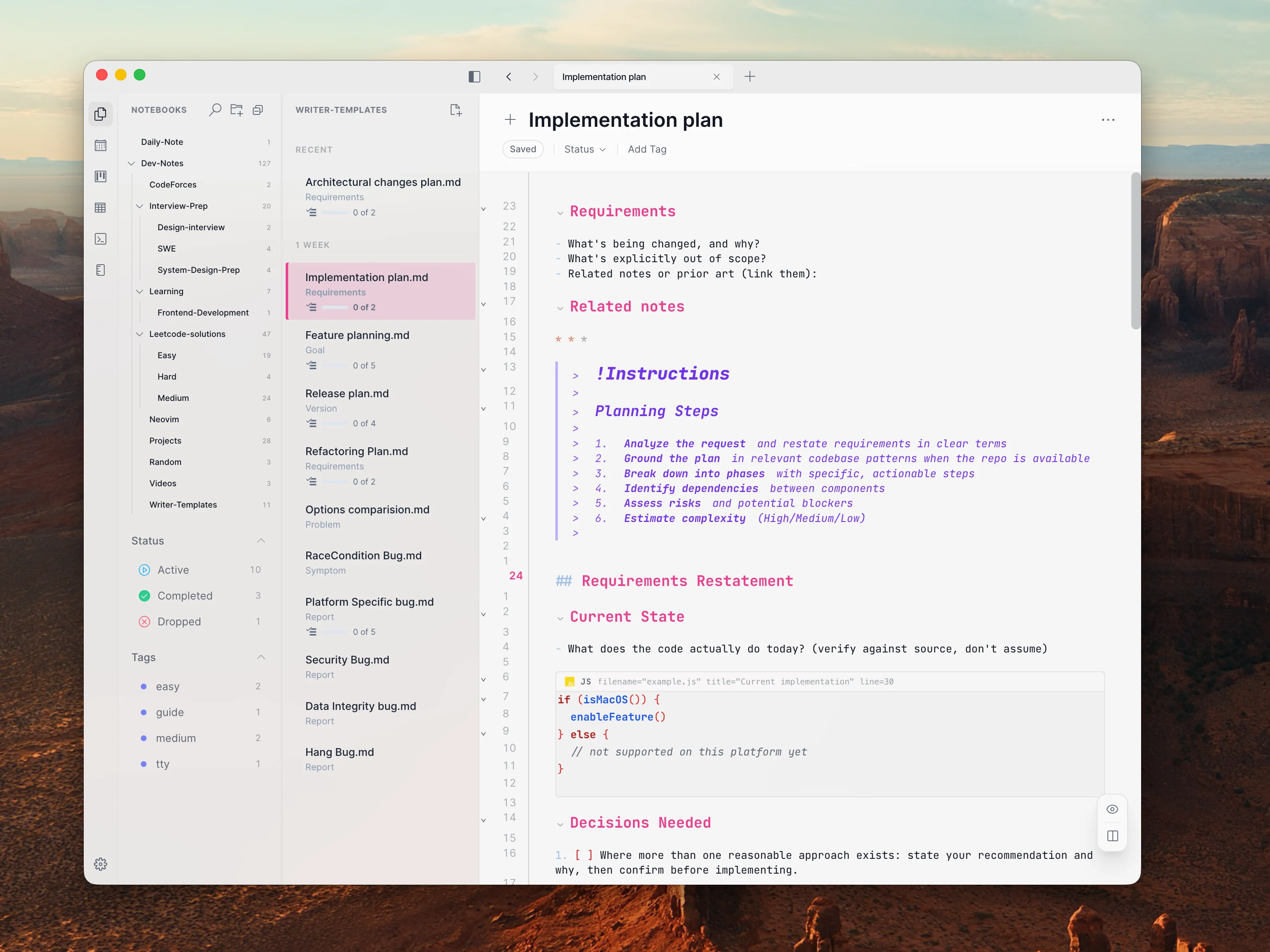
Writer
A developer-focused Markdown editor combining Vim motions, language intelligence, and lightweight productivity tools.

I wanted a writing environment that felt as natural as Vim but offered more than a plain text editor. So I built Writer: a desktop Markdown editor that brings together focused writing, code intelligence, diagrams, and lightweight task management.
I Wanted to Write Without Breaking My Flow
My workflow often jumped between notes, code editors, terminals, and planning tools. Existing Markdown editors didn't give me the Vim-driven editing and developer features I wanted in one focused space. Instead of accepting the trade-offs, I decided to build my own.
Start Small, Follow the Workflow
Get the Writing Experience Right
I started with the essentials: Vim motions, fast editing, syntax highlighting, and a clean interface for notes, coding practice, and everyday thinking.
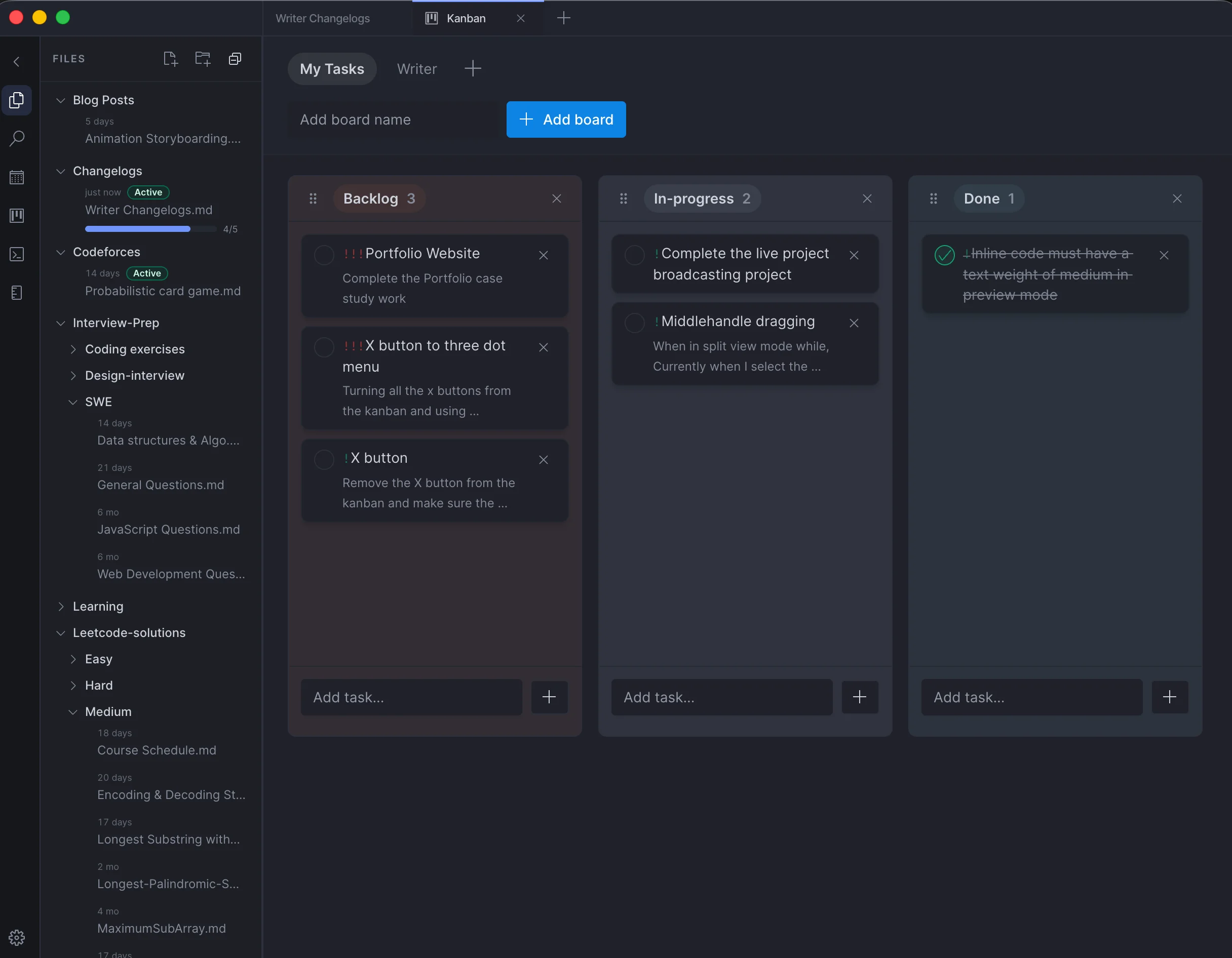
Grow Beyond Notes
As the project evolved, I explored what else belonged in the same workflow. A terminal, task boards, daily notes, and visual diagrams gradually turned Writer into a broader developer workspace.

One Workspace, Fewer Context Switches
I built Writer as a desktop app with Electron, React, and CodeMirror 6. Rather than adding features for their own sake, I focused on bringing common developer workflows closer to where the writing happens.
Think Visually
I integrated interactive diagrams and flowcharts with Mermaid.js, making it easier to map ideas and include visuals in technical documentation.
Keep Work Organized
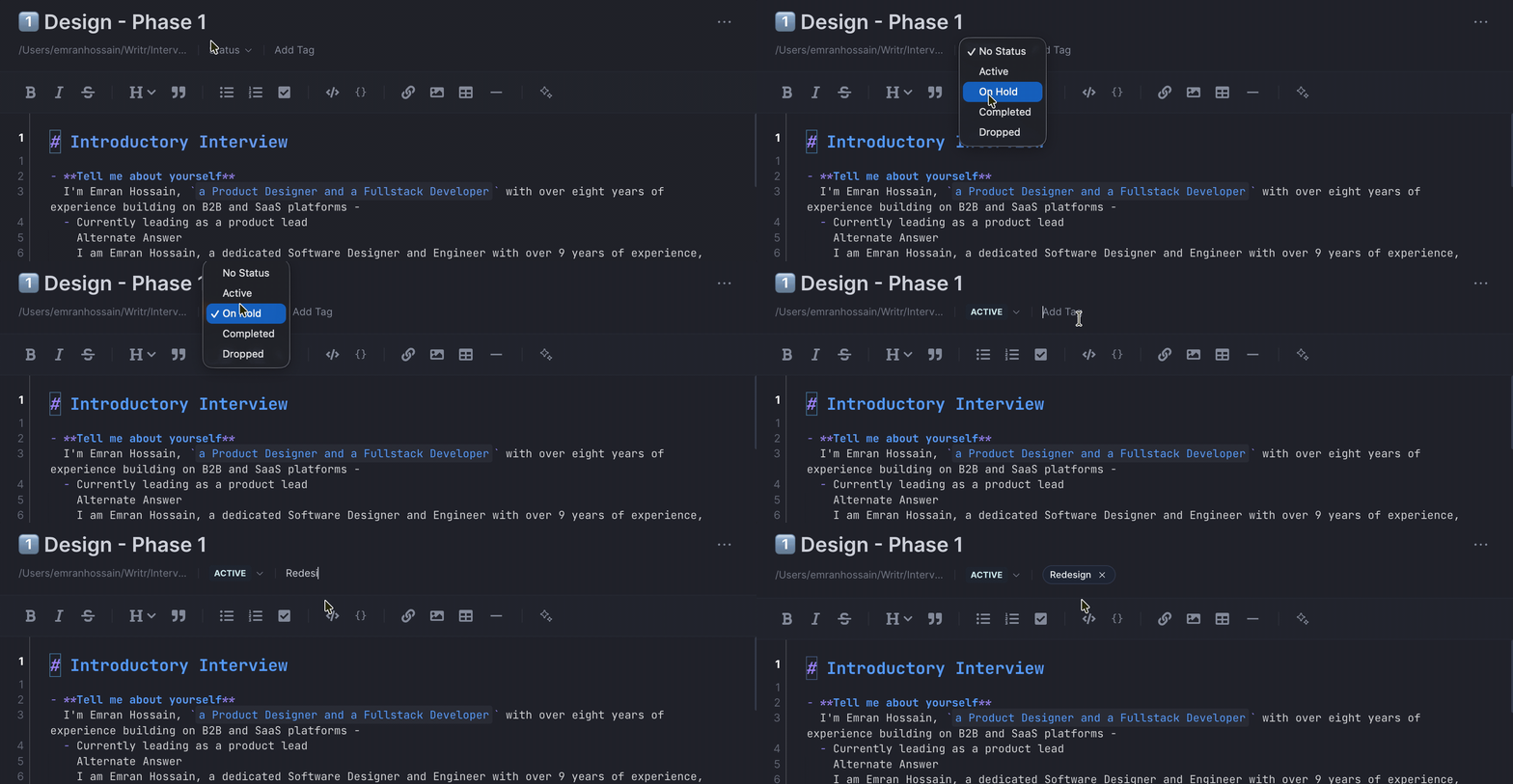
I added Kanban boards, daily notes, and task progress indicators so ideas could move from quick notes to organized work without leaving the app.
Bring Coding Tools Into Writing
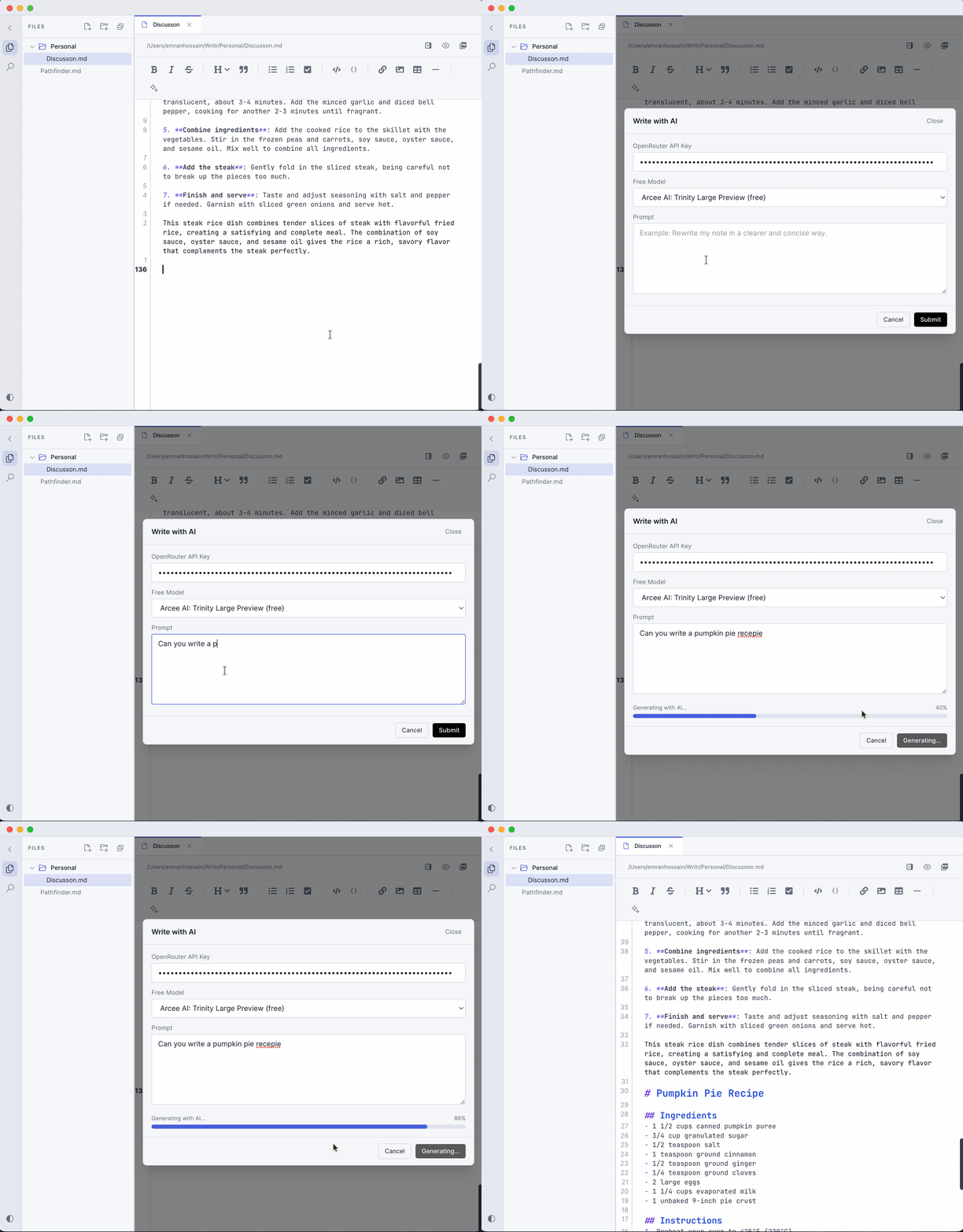
I integrated language-server features for code intelligence across multiple languages and added AI-assisted writing to help with drafting and editing in context.
A Personal Tool That Kept Growing
Writer evolved from a simple Markdown editor into a multi-purpose workspace for writing, coding, and planning. Building it solo meant owning the entire process, from interface design and editor integration to performance and application state.